CSS Snippet:
Silver Container
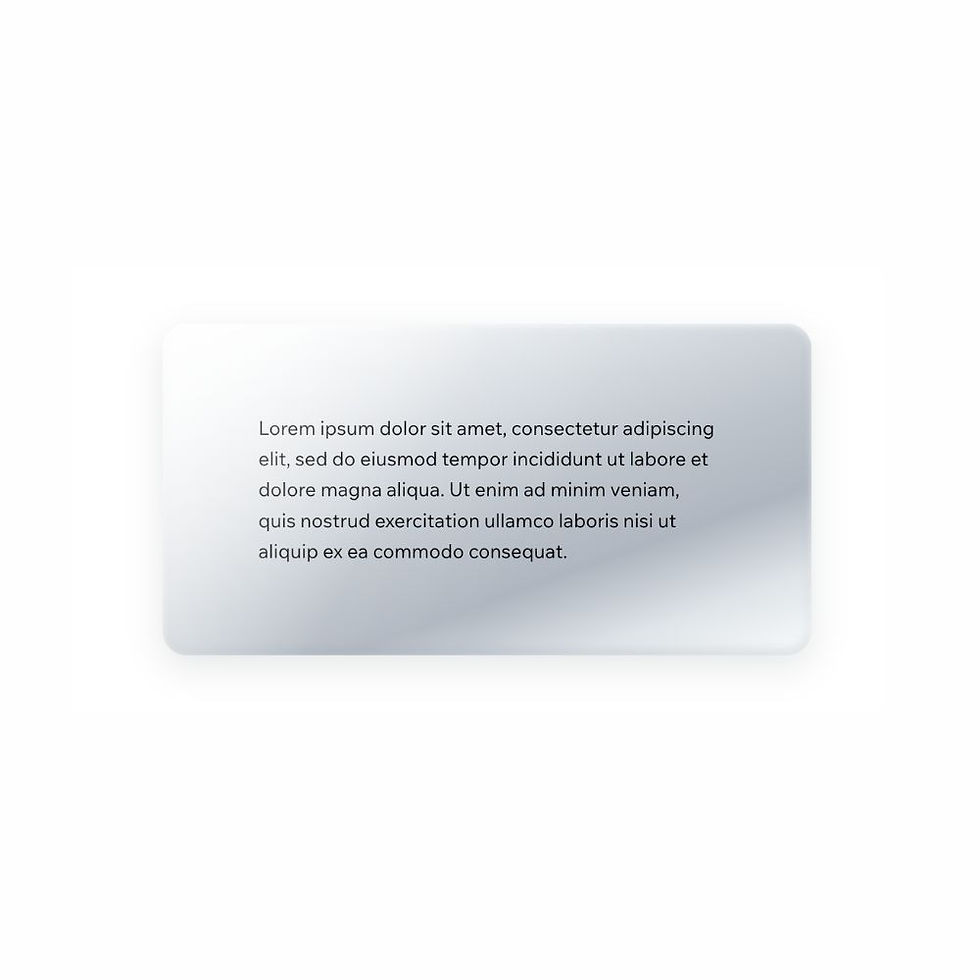
This CSS snippet creates a soft silver container with a metallic gradient finish, subtle highlights, and gentle depth.
The result feels clean, modern, and refined, making it ideal for sections, cards, or panels that need a polished, neutral surface.
Difficulty:
Intermediate
Live preview
Silver
Lorem ipsum dolor sit amet, consectetur adipiscing elit, sed do eiusmod tempor incididunt ut labore et dolore magna aliqua. Ut enim ad minim veniam, quis nostrud exercitation ullamco laboris nisi ut aliquip ex ea commodo consequat.
Use case
Use this container style when you want a section or panel to feel modern, minimal, and slightly elevated without adding strong colour.
It works especially well for dashboards, feature cards, product sections, and clean content layouts.
Where to apply it
Apply this class to container elements only.
Common examples include:
• Content cards
• Feature panels
• Highlight sections
• Dashboard blocks
• UI panels
This style works best when given enough space to let the gradient and surface effect be visible.
Notes & Setup
Select your container or box element in Wix Studio.
Add the class: silver-container
Paste the CSS into your site's Custom CSS section.
This style applies the surface finish and depth. You can style the content inside using the Wix Design panel as normal.
Customisation
Depth:
The combination of inner highlights and outer shadow creates the metallic depth. Reduce these values for a flatter look.
Corners:
Adjust the border-radius to make the container softer or more structured.
Shine:
The ::after layer adds a subtle reflective sheen. Remove it for a cleaner, flatter design.
Tip:
Use this style selectively for featured sections to maintain visual hierarchy and impact.
Licensing
This CSS snippet is free to use in personal and commercial Wix Studio projects. You’re welcome to copy, adapt, and use it on client or business websites.
Credit is not required, but if you found it useful, we’d really appreciate a small link back to Wix Doctor, ideally on your site’s footer, about page, credits page or wherever feels appropriate.
Linking back helps more Wix users discover the library and supports the continued creation of free snippets, tutorials, and community resources.
CSS Code
css
.silver-container {
padding: 32px;
border-radius: 20px;
background: linear-gradient(
160deg,
#ffffff 0%,
#f4f6f8 12%,
#d6dbe0 35%,
#bcc3ca 55%,
#aeb6bf 70%,
#dfe4e8 85%,
#f9fbfc 100%
);
box-shadow:
inset 0 2px 6px rgba(255, 255, 255, 0.7),
inset 0 -4px 10px rgba(120, 130, 140, 0.25),
0 10px 30px rgba(80, 90, 100, 0.15);
position: relative;
}
.silver-container::after {
content: "";
position: absolute;
inset: 0;
border-radius: inherit;
background: linear-gradient(
120deg,
rgba(255,255,255,0.6),
rgba(255,255,255,0.05) 40%,
transparent 60%
);
pointer-events: none;
}