CSS Snippet:
Gold Button
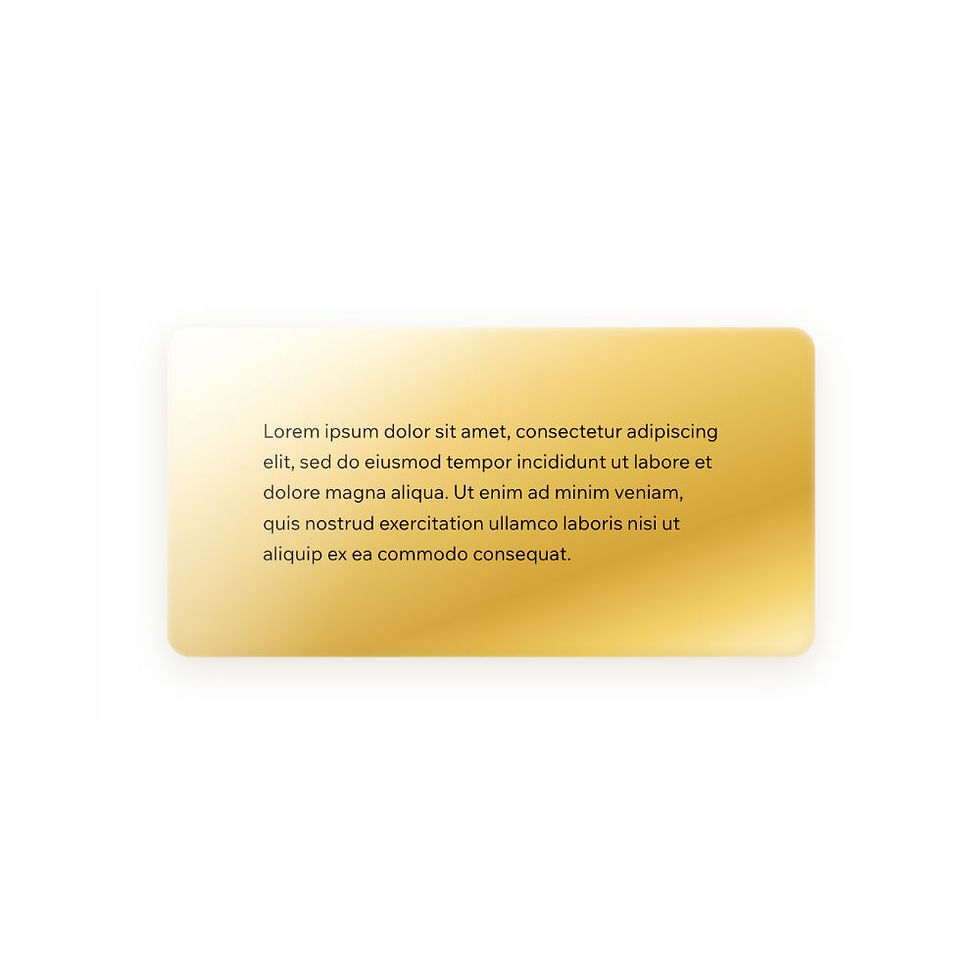
This CSS snippet creates a soft gold button style with a glossy metallic gradient and gentle depth.
The finish feels polished and premium without relying on heavy 3D effects, making it a clean and reliable option for elegant call-to-action buttons.
Difficulty:
Intermediate
Live preview
Gold
Lorem ipsum dolor sit amet, consectetur adipiscing elit, sed do eiusmod tempor incididunt ut labore et dolore magna aliqua. Ut enim ad minim veniam, quis nostrud exercitation ullamco laboris nisi ut aliquip ex ea commodo consequat.
Use case
Use this button style when you want a CTA to feel warm, elevated, and visually refined while still remaining clean and usable.
It works especially well on luxury-inspired layouts, high-end service sites, beauty and fashion projects, and any design using soft metallic accents.
Where to apply it
Apply this class to button elements only.
Common examples include:
• Primary call-to-action buttons
• Hero section buttons
• Product or service links
• Premium sign-up or enquiry buttons
This style works best when paired with soft neutral backgrounds or matching gold accents elsewhere in the design.
Notes & Setup
Select your button in Wix Studio.
Add the class: gold-button
Paste the CSS into your site's Custom CSS section.
Use the Wix Design panel to control the button text style, font, size, and alignment. This snippet focuses on the button surface, shape, colour, and finish.
Customisation
Shape:
The fully rounded border-radius gives this button a smooth pill shape, but you can reduce this if you want a more standard rounded button.
Finish:
The metallic effect comes from the gradient and soft inset shadows. You can deepen the look by making the darker gold stops richer, or soften it by increasing the lighter tones.
Spacing:
Adjust the padding values to create a smaller or larger button depending on your layout.
Tip:
This style pairs especially well with soft backgrounds, elegant typography, and matching gold containers or text accents.
Licensing
This CSS snippet is free to use in personal and commercial Wix Studio projects. You’re welcome to copy, adapt, and use it on client or business websites.
Credit is not required, but if you found it useful, we’d really appreciate a small link back to Wix Doctor, ideally on your site’s footer, about page, credits page or wherever feels appropriate.
Linking back helps more Wix users discover the library and supports the continued creation of free snippets, tutorials, and community resources.
CSS Code
css
.gold-button {
padding: 14px 28px;
border-radius: 999px;
border: none;
cursor: pointer;
background: linear-gradient(
160deg,
#ffffff 0%,
#fff7d6 12%,
#f5d27a 35%,
#e0b94f 55%,
#d4a437 70%,
#f2cf66 85%,
#fff6d1 100%
);
box-shadow:
inset 0 1px 2px rgba(255,255,255,0.6),
inset 0 -2px 6px rgba(180, 140, 40, 0.25),
0 6px 16px rgba(90, 70, 10, 0.12);
color: rgba(110, 85, 20, 0.85);
transition: all 0.2s ease;
}